VPN PotatoVPN - WiFi Proxy
- 4.5
- Rating
- 10.00M
- Installs
- Free
- Price

 Analysis by App-foxy
I installed VPN PotatoVPN - WiFi Proxy expecting a simple way to add protection when using unfamiliar wireless networks, and that is still the clearest way to understand it. It is a free tools app from FREE VPN POTATO PTE. LTD., aimed at people who want a quick privacy layer without spending time learning the details of traditional VPN services. The first impression is straightforward: open it, connect when needed, and return to whatever you were doing.
That simplicity is the main reason it is appealing during the first week. I did not feel pushed into configuring a complicated network profile or comparing a long list of technical options before getting started. For someone who mainly wants help on public Wi-Fi in cafés, hotels, libraries, airports, or shared offices, the app has an immediately understandable purpose. It is also free to install, although it includes in-app purchases ranging from $11.99 to $74.99 per item.
The more important question is what happens after the novelty disappears. A privacy tool is useful only when I remember to use it, trust its behavior, and find that it fits naturally into my routine. PotatoVPN makes a good first impression because it removes friction, but the long-term decision depends on how much control and consistency you expect from a VPN rather than on the excitement of trying a new connection button.
You May Also Like

 Blood Strike: 2.5 Anniversary
Blood Strike’s Loadouts Turn Every Drop Into a Tactical Gamble
A close look at Blood Strike’s custom loadouts: how fast access to signature weapons reshapes its battle royale rhythm, rewards preparation, and narrows the gap between fights.

 Pandora - Music & Podcasts
Pandora’s Music Is Easy to Start, but Harder to Recover
Pandora’s strength is its low-effort path from a seed to a station. Its weak spot is how much confidence it asks you to place in connection, setup, and quiet recovery.

 8 Ball Pool
 Is Built on Rivalries, Rematches, and Routine
A close look at the rivalries, rematches, shared routines, and unanswered safety questions that turn a quick pool match into a persistent mobile community.

 Samsung Music
’s Quiet Strength Is Playing What You Already Own
Its reach comes less from spectacle than from dependable access to a personal library. That simplicity is both the app’s strongest retention engine and its ceiling.

 AccuWeather: Weather Radar
AccuWeather Review: A Quick, Clear Forecast for Everyday Decisions
For everyday plans, the best forecast is the one you can understand quickly. AccuWeather makes rain timing, radar, and local conditions easy to act on, with a few trade-offs.

 Hill Climb Racing
Why Hill Climb Racing Still Turns Crashes Into One More Run
A tiny car, a bumpy hill and one more upgrade: Hill Climb Racing keeps resurfacing because its simple chaos makes every near-miss feel personal.
More From Our News Desk



What the first week feels like
During my first sessions, I treated the app as a travel companion rather than as a permanent replacement for every network setting on my phone. I would open it before joining a public hotspot, connect, and then continue with ordinary tasks such as checking messages, reading news, or signing into a service. That workflow is more practical than leaving a VPN running constantly if your main concern is occasional exposure on networks you do not manage.
The product’s store summary focuses on an unlimited proxy, privacy protection, and a data shield for public Wi-Fi hotspots. In everyday terms, that makes the strongest use case quite narrow and clear: you are connected somewhere unfamiliar and want an extra privacy step before handling routine online activity. It is not a substitute for careful browsing, strong account passwords, or two-factor authentication, but it can be one part of a sensible public-network routine.
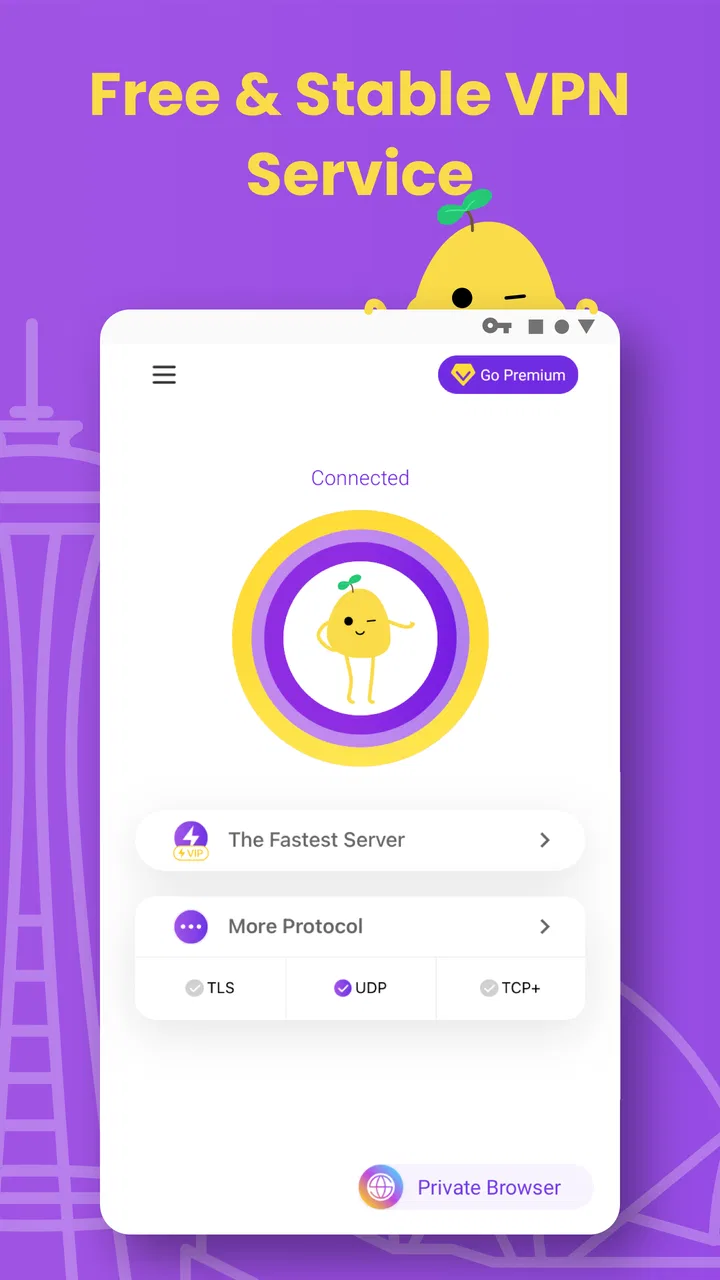
I also like that the app does not require me to think like a network administrator. Traditional VPN applications can be excellent, but they often make users choose protocols, locations, connection modes, or specialized settings. That control is valuable for advanced users, yet it can make a casual user abandon the process altogether. PotatoVPN is more approachable when the goal is simply to establish a protected connection and get on with the day.
A realistic example is a hotel stay. I might connect my phone to the hotel’s wireless network to look up directions, review a booking, or send work messages. Before doing that, I can open the app and make the VPN part of the routine instead of treating the network as automatically trustworthy. The useful habit is not “install a VPN and forget security”; it is “pause before using an unfamiliar network, then decide whether a protected connection is appropriate.”
Where the simple approach helps
The first-week advantage is speed of understanding. I do not need to study a long manual to see what the app is meant to do. That makes it a reasonable starting point for a family member or friend who has never used a VPN and would otherwise avoid one because the terminology feels intimidating.
It is also a good fit for occasional travelers. If you spend most of your time on a trusted home or workplace connection but regularly use public hotspots, a lightweight tool can be easier to maintain than a feature-heavy service you rarely open. The app’s free entry point lowers the barrier to trying that habit, while the Teen content rating makes its intended audience broader than a narrowly professional utility.
Still, I would not confuse an easy interface with complete anonymity. A VPN changes how traffic is routed, but it cannot make every online action private. Websites can still identify you through accounts, cookies, browser fingerprints, or information you voluntarily submit. I found the app most sensible when viewed as a protective layer for network traffic, not as an invisibility switch.
Does it earn a place after the first month?
After the initial curiosity fades, the value becomes practical rather than exciting. I would keep it installed if I regularly move between networks and want a quick reminder to protect a connection before using it. The app can earn a lasting place when it supports a repeated behavior: connect in a public setting, complete the task, disconnect or leave it ready according to your preference, and avoid treating every hotspot as harmless by default.
For someone who rarely leaves a trusted network, the calculation changes. If I spend nearly all my time at home and never use public Wi-Fi, a dedicated VPN app may become something I forget exists. That is not a failure of the product so much as a mismatch between the tool and the user’s routine. Long-term value comes from repeated exposure to the situation it is designed to address.
The app’s popularity suggests that this straightforward approach resonates with many people: it has an average rating of 4.5 from around 199 thousand ratings, with more than 10 million installs. Those figures do not guarantee that every connection will feel identical on every device or network, but they do show that PotatoVPN is not merely a curiosity with a tiny audience. It has become a familiar option for people looking for a simple mobile privacy tool.
My advice is to decide on a personal trigger rather than relying on memory. For example, I would open the app whenever I join a network whose owner I do not know, especially before checking sensitive accounts. This is more reliable than promising to use a VPN “when necessary” without defining what that means. A small routine is more valuable than a sophisticated feature that I never remember to activate.
Everyday tasks it handles well
PotatoVPN makes the most sense for ordinary, low-friction activities on public networks. Reading, messaging, browsing maps, checking reservations, and handling routine account tasks are the kinds of situations where I appreciate a quick privacy step. If I am moving between locations, I would rather have an approachable tool available than skip protection because the alternative feels too technical.
I would be more cautious with activities where performance is critical. Video calls, large downloads, competitive online games, and high-quality streaming can be affected by any VPN or proxy connection, depending on the route and the network. Even if a connection is technically active, that does not mean it will be the fastest or most stable path. When responsiveness matters more than privacy on a trusted connection, I may choose not to use it.
Another useful habit is to verify the connection state before assuming it is active. I would not start a sensitive task merely because the app is installed. I would open it, confirm that the connection process has completed, and then proceed. If the network changes, the phone moves between Wi-Fi and mobile data, or the connection appears interrupted, I would check again rather than assuming the previous state still applies.
The maintenance burden is small, but not zero
One reason a simple VPN can survive on my phone is that it does not demand constant attention. I do not want to tune settings every day or troubleshoot a complicated profile before leaving home. PotatoVPN’s appeal is that it can remain in the background of my routine until a public-network situation makes it relevant.
However, “install once” is not the same as “maintain forever.” I would keep an eye on whether the app remains compatible with my phone, whether the connection behaves consistently after operating-system updates, and whether the privacy experience still matches my expectations. The current version is 64.0.1, and the app supports Android starting with version 6.0, so compatibility is broad for many Android users, but older devices can still behave differently from newer ones.
I would also review the app occasionally instead of granting it permanent trust by habit. A VPN handles an important part of the connection path, so choosing one is more consequential than installing a casual flashlight or wallpaper app. The developer is FREE VPN POTATO PTE. LTD., and the app has a substantial user base, but popularity should complement personal judgment, not replace it.
There is a practical maintenance decision around paid features as well. The app is free, but in-app purchases are available. I would not pay simply because a premium prompt appears. I would first use the free experience long enough to decide whether the app solves a recurring problem for me. If I rarely use it, spending money adds no meaningful value. If I use it frequently, I would compare the paid option with other VPN services before committing to a larger purchase.
Small habits that prevent avoidable trouble
My first tip is to use it before joining the hotspot, not after opening the account or website I wanted to visit. That keeps the order of operations simple and reduces the chance of sending information over an unprotected connection while I am still preparing the VPN.
My second tip is to separate privacy from location-based expectations. A VPN may affect how a service sees the connection, but I would not assume it guarantees access to every regional catalog, website, or streaming library. If bypassing geographic restrictions is your main goal, you should investigate whether a service explicitly supports that use rather than selecting PotatoVPN solely because it is easy to start.
My third tip is to keep a fallback plan for important work. If a connection becomes slow or fails while I am trying to join a meeting, upload a document, or complete a time-sensitive payment, I would switch to a trusted mobile connection or another reliable network rather than repeatedly tapping connect. Privacy matters, but so does finishing the task safely and accurately.
Finally, I would avoid treating the app as permission to use every open hotspot without thought. A protected connection can reduce some network risks, but the hotspot itself may still be inconvenient, unstable, or deliberately deceptive. I would still check the network name, avoid unnecessary downloads, and sign out of shared devices. PotatoVPN works best as one deliberate step in a broader routine.
Where the experience can become tiring
The first source of fatigue is the gap between a simple promise and the complexity of real networks. A single connect action feels reassuring, but connection quality can vary with the hotspot, mobile hardware, location, and network congestion. When I need to repeat attempts or wait for a usable route, the convenience that attracted me in the first place starts to weaken.
The second is reduced control. A beginner may appreciate not seeing technical choices, while an experienced user may find the same simplicity limiting. If I want detailed server selection, advanced protocol choices, extensive diagnostics, or fine-grained rules for different apps, a more configurable VPN service is likely a better match. PotatoVPN is designed around accessibility, not deep network customization.
The third is the temptation to leave a VPN active without considering the trade-off. An always-on connection can be convenient, but it may affect speed, battery behavior, or access to services that dislike unusual network routes. I prefer to make the setting serve my routine: use it when the network risk justifies it, and test how my normal apps behave rather than assuming every service will respond identically.
There is also the question of trust. A VPN provider becomes part of the path between the device and the internet, so I would not choose one solely because it has a friendly name or a high store rating. The rating of 4.5 and roughly 3.4 thousand written reviews provide useful signals about user experience, but they cannot answer every privacy question for every person. Anyone with strict workplace, legal, or professional privacy requirements should compare the provider’s documentation and policies carefully with the standards they need.
That is where a paid, established alternative may be preferable. Such services often compete through clearer controls, broader configuration, stronger support expectations, or more predictable performance. I would consider one if I needed a VPN every day, depended on stable international connectivity, or wanted detailed control over how traffic was handled. PotatoVPN is more convincing when the requirement is occasional and uncomplicated.
Who should use it, and who should skip it?
I would recommend trying PotatoVPN if you are new to VPNs, regularly use public Wi-Fi, and want a low-effort way to add a privacy step to your routine. It is particularly suitable for students, travelers, casual remote workers, and people who move through cafés or shared spaces without wanting to learn networking terminology first.
I would also consider it for a secondary device that needs basic protection without a complicated setup. The minimum Android requirement of 6.0 covers a wide range of phones, including many older models. That can be useful when replacing a device is not an option and the owner wants a familiar, straightforward tool rather than a demanding security suite.
I would skip it if your main goal is advanced control, guaranteed performance, or a tightly managed professional environment. People who need detailed auditability, specialized routing, dependable access for demanding workloads, or a clearly defined corporate VPN arrangement should look beyond a casual mobile tool. I would also skip it if I had no realistic use for a VPN; an unused app adds clutter and does not improve security merely by sitting on the phone.
Gamers should be selective. A VPN can sometimes help with privacy on shared networks, but it can also add delay or make matchmaking and voice chat less predictable. I would test it with the specific game and connection before making it part of every session. The same caution applies to streaming and video calls, where stability may matter more than the extra network layer.
My long-term verdict
After looking past the first-week novelty, I see VPN PotatoVPN as a practical entry point rather than a complete answer for every VPN need. Its strongest quality is that it makes a useful habit feel manageable: when I am on public Wi-Fi, I can take a moment to establish an additional privacy layer without turning the process into a technical project.
Its lasting value depends on frequency. If public networks are part of your normal month, the app can justify its place through repeated, familiar use. If you almost never encounter them, it may fade into the background after installation. That distinction matters more than the app’s install count or store rating because a tool earns space on my phone by solving my recurring problem, not someone else’s.
The free starting point is helpful, and the Teen rating makes it approachable for a broad audience. At the same time, I would treat the in-app purchase options as a reason to compare rather than an automatic upgrade path. Before paying, I would decide whether I need a VPN often enough to justify the cost and whether PotatoVPN provides the control and reliability I expect over the long term.
My final recommendation is simple: use it as an accessible public-Wi-Fi companion, keep your expectations realistic, and judge it by how naturally it fits your monthly routine. For casual protection and an easy first experience, it is worth trying. For demanding privacy, professional networking, or advanced configuration, I would choose a more specialized alternative. That balance is what keeps the app useful after the novelty has gone.
FAQs for VPN PotatoVPN - WiFi Proxy
01What is PotatoVPN and how does it work?
PotatoVPN is a virtual private network (VPN) service that allows users to browse the internet securely and privately. By encrypting your internet connection, it protects your data from hackers and unwanted tracking. Users can connect to servers in various countries, masking their IP addresses and accessing geo-restricted content.
02Is PotatoVPN free to use, and are there any limitations?
PotatoVPN offers a free version, but it comes with limitations such as restricted server access and bandwidth caps. To unlock all features, including access to more server locations and unlimited bandwidth, users can opt for a premium subscription. The free version is suitable for light, occasional use.
03How user-friendly is PotatoVPN for beginners?
PotatoVPN is designed with simplicity in mind, making it extremely user-friendly for beginners. The app features a clean interface with intuitive navigation, allowing users to connect to a VPN server with a single tap. The straightforward setup process ensures even those new to VPNs can use it effectively.
04What platforms is PotatoVPN available on?
PotatoVPN is available for both Android and iOS devices. Users can download the app from the Google Play Store or Apple App Store. The app is regularly updated to ensure compatibility with the latest operating systems, providing a smooth and reliable experience across different devices.
05Does PotatoVPN log user data or activity?
PotatoVPN adheres to a strict no-logs policy, meaning it does not track or store users' browsing history or personal data. This commitment to privacy ensures that your online activities remain confidential. Users can enjoy peace of mind knowing their information is not being collected or shared.
Pros
- Simple and intuitive interface
- Fast connection speeds
- No registration required
- Multiple server locations
- Strong encryption protocols
Cons
- Contains in-app ads
- Limited free version features
- Occasional connection drops
- Not available in all regions
- Some servers may be slow

VPN PotatoVPN - WiFi Proxy
Gallery